Lumio API 帮助文档
统一请求 URL:
https://api.lumio.games/
在线 image2生图体验 :img.lumio.games社区支持:QQ群 1073671738 | Telegram
Image-2 生图环境
支持模型
| 模型 | 说明 |
|---|---|
gpt-image-2 | 标准生图 1K |
gpt-image-2-pro | 高质量生图 2K/4k |
API 调用示例
curl --request POST 'https://api.lumio.games/v1/images/generations' \
  --header 'Content-Type: application/json' \
  --header 'Authorization: Bearer <your-api-key>' \
  --data '{
    "model": "gpt-image-2pro",
    "prompt": "换一套风格的衣服 换个主题色",
    "size": "2560x1440",
    "reference_images": [
        "https://img.lumio.games/your-image.png"
    ]
}'Codex 环境
安装 Codex CLI
需要 Node.js 18+ 和 npm 8+。
# 安装
npm install -g @openai/codex

# 验证
codex --version支持模型
| 模型 | 说明 |
|---|---|
gpt-5.5 | 需手动配置,价格倍率 0.2:1(约官方 0.03 倍) |
gpt-5.4 | 默认 256K 上下文,可开启 1M |
gpt-5.3-codex-spark | — |
gpt-5.4-mini | — |
GPT-5.5 配置方法
Codex 默认不识别 gpt-5.5,会报错:
Model metadata for gpt-5.5 not found. Defaulting to fallback metadata; this can degrade performance and cause issues.
按以下步骤修复:
-
下载 GPT-5.5 配置文件,解压到对应目录:
- Mac:
~/.codex/ - Windows:
C:\Users\<用户名>\.codex\ - 配置文件:model_catalog_gpt_5.5.json
- Mac:
-
在 CC Switch 中设置(或手动编辑 config):
model = "gpt-5.5"
model_catalog_json = '帮助文档/model_catalog_gpt_5.5.json'
model_reasoning_effort = "high"- 更新 Codex CLI 到最新版:
npm i -g @openai/codex@latest- 启动 Codex,开始使用。
GPT-5.4 开启 1M 上下文
默认 256K 上下文。如需 1M 超长上下文,在 config 文件中添加:
model_context_window=1000000
model_auto_compact_token_limit=900000
Claude Code 环境
安装 Claude Code
Mac / Linux / WSL(推荐):
curl -fsSL https://claude.ai/install.sh | bashWindows CMD:
curl -fsSL https://claude.ai/install.cmd -o install.cmd && install.cmd && del install.cmd在 Claude Code 中使用 GPT 分组
Claude Code 支持直接切换到 GPT 模型。只需在创建 API 密钥时选择 GPT 分组,其余配置无需改动。
第一步: 在 CC Switch 中选择分组为 GPT
第二步: 点击导入即可使用
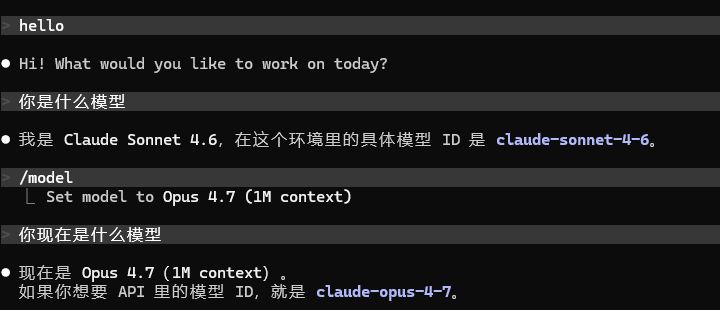
第三步: 查看计费

Gemini CLI 环境
支持模型
| 模型 | 说明 |
|---|---|
gemini-3.1-pro-preview | — |
gemini-3-pro-preview | — |
gemini-3-flash-preview | — |
小龙虾等 Agent 环境
模型建议为 gpt-5.4
请求 URL 设置为:https://api.lumio.games/v1
Cursor 环境
- 下载插件:cursor-byok Releases
- 请求 URL 设置为:
https://api.lumio.games/v1
OpenCode 环境
- 下载 OpenCode:OpenCode Releases
- 请求 URL 设置为:
https://api.lumio.games/v1
CC Switch 安装与使用
CC Switch 是管理和切换 API 供应商的开源工具(作者:farion1231)。
- 用户手册:GitHub README(中文)
- 下载地址:GitHub Releases
Mac
- 在 Releases 页面下载
.dmg文件 - 打开 dmg,将 CC Switch 拖入 Applications 文件夹
Windows
- 在 Releases 页面点击「Show all assets」展开完整列表
- 下载
Windows.msi安装包 - 双击 msi,按提示完成安装

新手引导
- 点击 API 密钥

- 点击创建

- 创建分组——分组倍率代表折扣额度,推荐选择 GPT 分组 或 Claude/Kiro 分组

- 点击导入 CC Switch

- 当看到 CC Switch 查看余额成功,即可开始使用
